
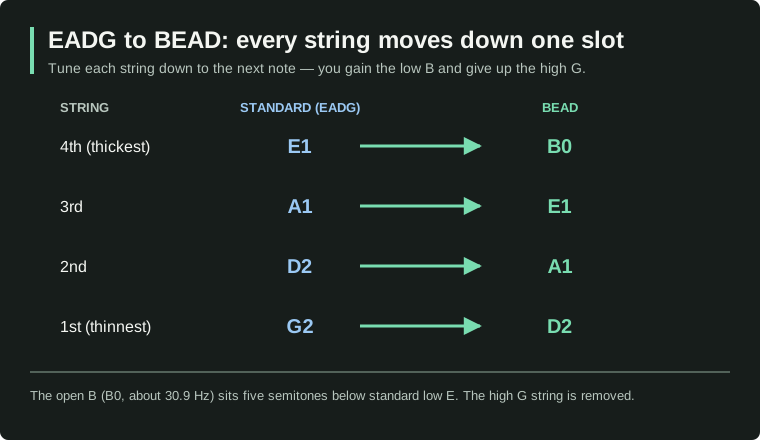
BEAD bass tuning is a tuning for four-string basses that uses the notes B-E-A-D from the lowest string to the highest. It replaces standard E-A-D-G tuning with the four lowest strings of a five-string bass, so you can play lower notes without buying a new instrument.
Tuning down this far works, but thicker strings and a few small setup tweaks are usually part of the deal. Here's what BEAD means, the exact notes, how to tune to it, which strings to use, and what setup to expect.
Quick CTA:
- Open the preset and tune along: Open the BEAD bass tuner
- New to bass tuning? How to tune a bass
What is BEAD bass tuning?
The name is just the four open-string notes, written from the lowest string to the highest. The number after each note is its pitch (lower number, lower note), and Hz measures how low the sound is:
- Fourth (thickest) string: B (B0, about 30.9 Hz)
- Third string: E (E1, about 41.2 Hz)
- Second string: A (A1, 55 Hz)
- First (thinnest) string: D (D2, about 73.4 Hz)
BEAD compared with standard bass tuning
| Four-string bass setup | Tuning, lowest to highest |
|---|---|
| Standard tuning | E – A – D – G |
| BEAD tuning | B – E – A – D |
| Five-string standard tuning | B – E – A – D – G |
BEAD tuning is basically a five-string bass with the high G string removed. The distance between each string and the next stays the same as in standard tuning, so the neck still feels familiar under your fingers. What changes is the range: you lose the high G string, but you gain five frets' worth of lower notes that a standard four-string can't reach.
Why bassists use BEAD tuning
- To reach lower notes without buying a five-string bass.
- To play songs that were written for the low B string of a five-string.
- To get a deeper, heavier sound for metal, modern rock, progressive music, and worship.
- To keep the familiar four-string neck while gaining the low range.
- To make songs easier when they keep coming back to the same low notes.
BEAD tuning notes and fretboard layout
| String | Standard tuning | BEAD tuning |
|---|---|---|
| Thickest string | E | B |
| Third string | A | E |
| Second string | D | A |
| Thinnest string | G | D |
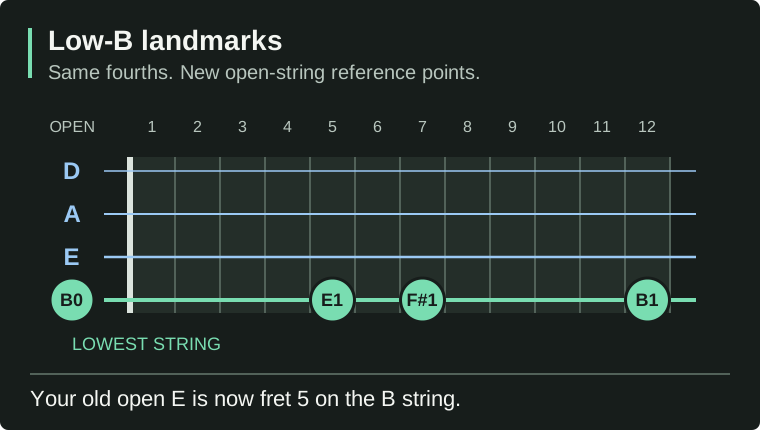
The thickest string becomes your low B, five frets lower than standard low E. A few landmarks on the new lowest string:
- Open low string: B
- Fifth fret of the B string: E (your old open E lives here now)
- Seventh fret of the B string: F♯
- Twelfth fret of the B string: B, one octave higher
Because the strings are still spaced the same way, most scale shapes you already know still work. The tricky part is in your head, not your hands: the open strings are different notes now, so riffs that use open E or open A have to move. And tab written for standard tuning won't always work as-is. Read tab as "which notes to play," not "exactly where to put your fingers."
How to tune a 4-string bass to BEAD
Before you start:
- Use a tuner that can read every note (a "chromatic" tuner). The BEAD bass tuner preset shows the exact targets.
- Put on a set of thicker strings first if you can (more on that below).
- Tune in a quiet room, one string at a time.
- Turn the tuning pegs slowly and confirm the intended note and octave before adding tension.
- Make sure each string sits properly in its slot at the bridge and at the nut (the grooved strip at the top of the neck).
If you installed a BEAD set or the lowest four strings of a five-string set, tune directly from slack to B0–E1–A1–D2. Do not first tune these heavier strings to EADG. The thickest replacement string is a low-B string, not an E string to bring up and then detune.
| String position | BEAD target |
|---|---|
| Thickest | B0 |
| Next | E1 |
| Next | A1 |
| Thinnest | D2 |
- Bring the thickest replacement string gradually from slack up to B0.
- Bring the next replacement string up to E1.
- Bring the next replacement string up to A1.
- Bring the thinnest replacement string up to D2.
- Play each string again and retune. Changing the load on the neck can shift the other strings' pitches, so repeat the pass until all four hold their targets.
- With each open string tuned, compare its fretted twelfth-fret note with its twelfth-fret harmonic. Both should sound the same pitch, one octave above the open string. Use normal fretting pressure; a consistent sharp or flat fretted note means the intonation needs checking before you rely on notes higher up the neck.
Should you tune standard strings straight down to BEAD?
For a temporary experiment with the existing EADG strings still installed, lower E1 to B0, A1 to E1, D2 to A1, and G2 to D2. This detuning procedure is separate from installing replacement BEAD strings. Expect the low B especially to feel too loose. Typical problems: a floppy, rubber-band feel, buzzing against the frets, muddy-sounding notes, tuning that won't hold, and notes that die out quickly. It's fine as a quick experiment, but it's not the ideal long-term bead tuning bass setup. If the experiment convinces you, buy proper strings.
Quick tuning tip
Tune slightly below each target note and then raise the pitch up into it. This helps the string grip the tuning post better. Stretch new strings gently, retune a few times, and check all four strings again at the end, because every change in tension affects the others.
What strings should you use for BEAD tuning?
A low B string needs to be thicker and heavier than a standard E string to sound clear and stay stable at that pitch. Thicker strings bring back the tightness you're used to. The common starting point is a set made for BEAD, or the four thickest strings from a five-string set.
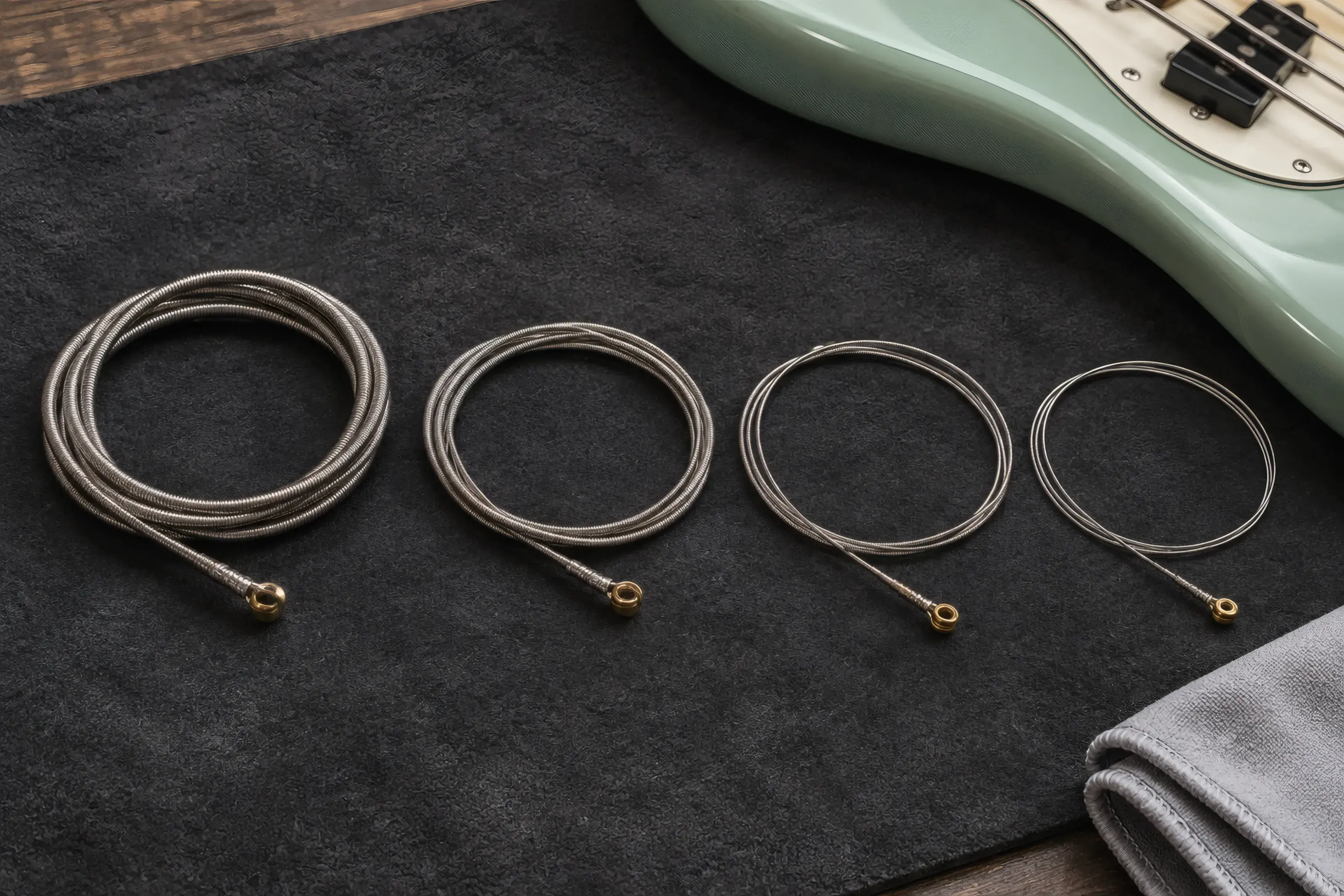
String thickness is called "gauge," and it's measured in thousandths of an inch:
| String | Approximate thickness (gauge) |
|---|---|
| B | .125 – .135 |
| E | .085 – .105 |
| A | .065 – .085 |
| D | .045 – .070 |
Treat these as starting points, not rules. The right thickness depends on your bass's scale length (the string length from nut to bridge), how hard you play, how tight you like your strings, and the sound you want. An online string-tension calculator helps when comparing sets. A long-scale bass (34 inches) usually keeps the low B tighter than a short-scale one.
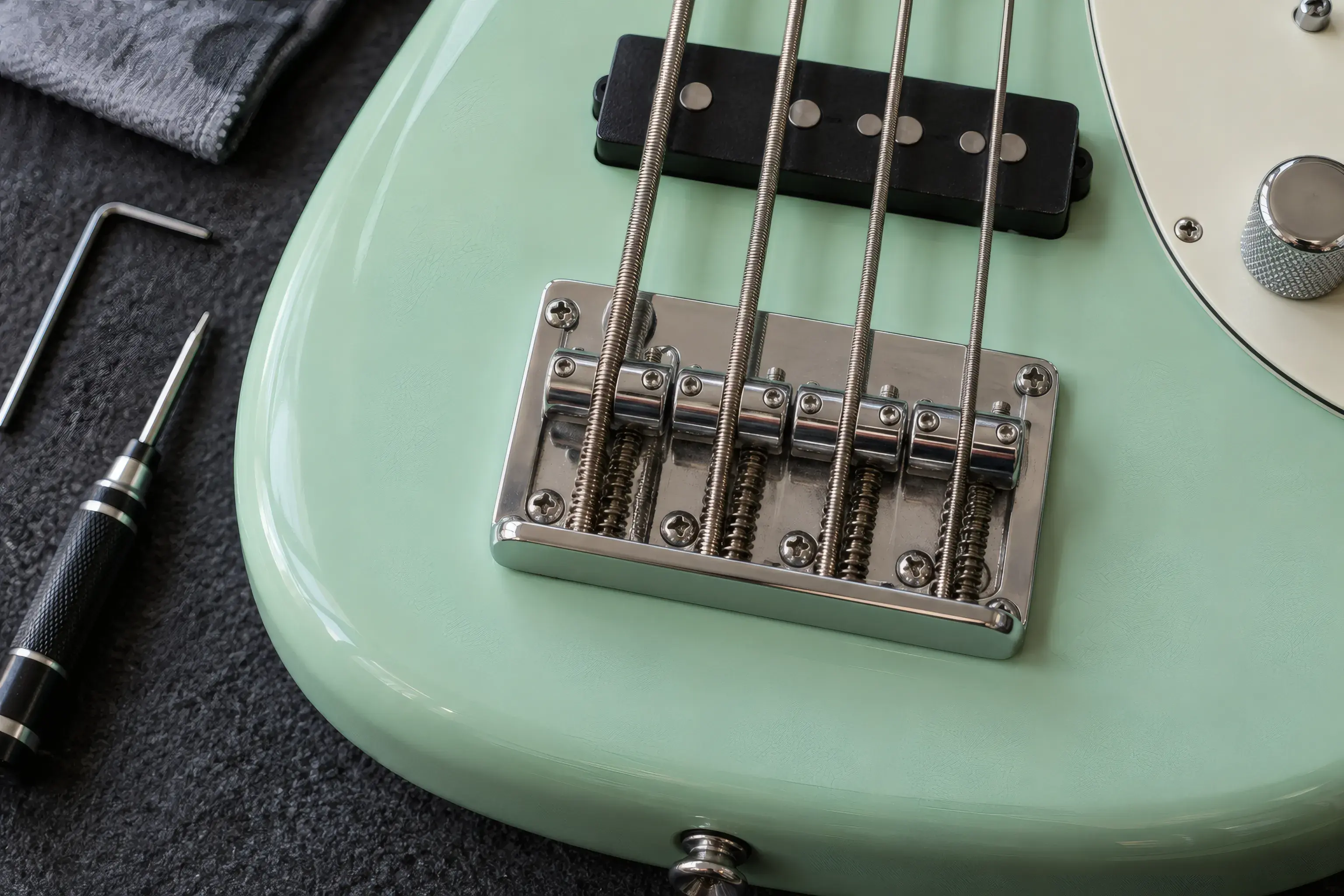
Using the thickest four strings from a five-string set is a common, practical option. Before buying, check that the thick B string fits the grooves in your nut and the holes in your bridge, and that the strings are long enough for your bass. Some strings simply won't fit every instrument.
Does a bass need a setup for BEAD tuning?
Usually, at least a small one. Four areas, in order of likelihood:
- Nut. Thicker strings may not fit the grooves (called slots) in the nut. A string sitting too high makes the first few frets hard to play and out of tune. A slot that's too narrow pinches the string, so it sticks and then jumps with a "ping" while you tune. Have a qualified technician widen the slots if needed. Don't file them yourself without the right tools.
- Truss rod. This is a metal bar inside the neck that helps control its curvature, or relief. Detuning the same strings reduces their pull, but the heavier gauges recommended for BEAD can restore it. The new set's total tension may be lower, similar, or higher. Measure relief after installing and tuning the chosen set rather than inferring it from the note names. If you've never adjusted a truss rod, let a tech assess and adjust it if needed.
- Bridge and intonation. "Intonation" means whether the bass stays in tune as you play higher up the neck. Changing string gauges and tuning can change it, so check both intonation and string height (called the "action") with the new set installed. Our intonation guide walks through the twelfth-fret check. The procedure is the same on bass.
- Pickup height. The pickup is the part that turns string vibration into the signal your amp uses. A low B can come out louder or quieter than the other strings, and raising or lowering the pickup slightly can even that out. Treat it as a final polish, not the first step.
Advantages and disadvantages of BEAD tuning
| Advantages | Disadvantages |
|---|---|
| Adds a low B without buying a five-string bass | Requires thicker strings |
| Keeps the familiar four-string neck | May require professional setup work |
| Great for heavy, low music | Removes the high G string |
| Makes some extra-low songs easier to play | Standard strings may feel too loose |
| Often cheaper than buying another bass | Switching back to standard tuning takes more work |
Best uses: heavy metal and modern rock, progressive music, songs written for five-string bass, players who prefer a narrower neck, and anyone who needs low notes sometimes without committing to a five-string.
Where BEAD may not be ideal: players who use the high G string a lot, musicians who change tunings between songs, short-scale bass owners who want a very tight low B, and basses that can't safely fit thicker strings.
BEAD tuning vs. other low-tuning options
BEAD vs. a five-string bass: BEAD gives you the low four strings; a five-string still adds the high G on top. Already own a good four-string? BEAD is the cheaper experiment. Need the lows and the highs all the time? A five-string wins. See our five-string bass tuning guide.
BEAD vs. drop tuning: in BEAD, all four strings move down together, so the spacing between strings stays the same. Drop tuning lowers only the lowest string, which is handy for an occasional low note and easy to flip mid-song. BEAD re-ranges the whole bass; drop tuning is a quick reach for one extra note.
BEAD vs. standard EADG: standard tuning keeps your higher notes on the open strings; BEAD trades the high G for lower notes. Pick the one that matches your music and the shapes you actually play.
Common problems with BEAD bass tuning
The B string feels floppy. Causes: the string is too thin, the bass's scale is too short for the set, the string wasn't installed or stretched well, or you simply like tighter strings. Fixes: try a thicker B string or a set made for BEAD, check tension ratings before buying, and think about a longer-scale bass if this change is permanent.
The strings buzz. Usually the strings are too loose, the neck needs a small adjustment, the strings sit too low, or the frets need work. Buzz that appears right after the conversion is almost always a setup issue, not a bad string.
The bass won't stay in tune. Suspect the string sticking in the nut, messy winding on the tuning post, new strings that need more stretching, or a setup that hasn't been adjusted for the thicker strings. Why instruments drift out of tune walks through the causes.
The low B sounds unclear. The string may be too thin, the pickup may be unbalanced, the bass's scale may be too short for a clear low B, or your tone controls may be boosting too much bass. Try turning the bass knob down a little so the mids can carry the note before blaming the hardware.
FAQ
What does BEAD mean on bass?
The four open strings are tuned to B, E, A, and D from lowest to highest. You'll sometimes see it written as "b e a d bass tuning," but it's the same thing.
Is BEAD tuning the same as five-string bass tuning?
It's the same as the lowest four strings of a standard five-string bass, without the high G string.
Can any four-string bass be tuned to BEAD?
Many can, but the bass may need thicker strings, nut work, a neck adjustment, and intonation fixes to do it well.
Can I use regular bass strings for BEAD tuning?
You can try, but standard EADG strings are usually too loose at that pitch. They tend to buzz, die out fast, and keep slipping out of tune.
What string gauge is best for BEAD tuning?
A common starting point is a B string around .125–.135 (that's the thickness in thousandths of an inch). The ideal gauge depends on scale length, how tight you like your strings, and how you play.
Is BEAD tuning lower than drop D?
Yes. BEAD gives you a low B; drop D lowers only the standard E string to D.
Do I need to adjust the truss rod?
Possibly, but not automatically. Overall tension depends on the gauges and construction of the installed set as well as the tuning; it may be lower, similar, or higher after the conversion. Measure neck relief with the new strings tuned to BEAD and adjust only if needed, or have a technician check it.
Can I switch between BEAD and EADG easily?
You can, but frequent switching means different string sets and repeated setup tweaks. If you need both tunings regularly, keeping a dedicated bass for each is far easier.
Conclusion
BEAD bass tuning changes a four-string bass from EADG to B-E-A-D, putting the low range of a five-string under your fingers without buying another instrument. The best results come from four things working together: a good set of thick strings, a nut that fits them, a properly adjusted neck, and accurate intonation so the bass stays in tune up the neck.
The practical path: start with a dedicated BEAD (or five-string-minus-G) string set, tune down with the BEAD bass tuner, and have the bass checked by a technician before you gig with it. That combination gives you a stable, comfortable, focused low B, miles better than loosening standard strings and hoping.